웹·UI 디자인 프롬프트 예시
좋은 UI 디자인 프롬프트는 스타일보다 페이지의 역할을 먼저 설명합니다. 네 가지 예시로 메시지, 행동, 제품 사실, 모바일 동작을 구체화해 보세요.
Neruve 작성 · 수정일
작동하는 페이지에서 시작하세요
작동하는 HTML 페이지를 미리 보고, 소스와 함께 제공되는 프롬프트로 코딩 에이전트에서 이 기법을 연습하세요.
Skills는 계속 로그인 없이 무료로 읽고 복사할 수 있습니다. 템플릿 미리보기는 공개되어 있으며 소스와 함께 제공되는 프롬프트 다운로드에는 계정과 해당 구매 권한 또는 요금제가 필요합니다. 소스 이용 권한과 가격 보기
스타일보다 과제를 먼저 작성하기
사용자, 페이지 목표, 필수 콘텐츠, 버튼 목적지를 명시하세요. 결과물이 디자인 시안인지, 프로토타입인지, 기존 프로젝트의 코드 파일인지도 정합니다. 실제 정보를 제공하고 가상 데모 데이터는 표시해 모델이 근거 없는 기능이나 약속을 만들지 않도록 합니다.
페이지에 맞는 상태 지정하기
히어로는 제안과 다음 행동, 가격표는 명확한 차이, 대시보드는 필터·빈 상태·오류 상태, 제품 페이지는 소재와 구매 동작이 필요합니다. 가장 가까운 예시를 골라 자신의 정보로 바꾸세요. 모든 기능을 한 요청에 넣을 필요는 없습니다.
목적을 지원하는 스타일 사용하기
바우하우스 기하학, 스위스 타이포그래피, 굵은 윤곽선, 절제된 고급감을 어디에 적용할지 설명하세요. 장식보다 대비, 정보 위계, 모바일 가독성이 먼저입니다. 스타일 이름 하나만으로 인터페이스를 정의할 수 없습니다.
결과를 열고 한 문제씩 수정하기
데스크톱과 390·320픽셀에서 실제 결과를 열어 주요 행동과 키보드 포커스를 확인하세요. 문제 요소, 화면 폭, 기대 동작을 기록한 뒤 범위를 좁혀 수정을 요청합니다. 도구에서 렌더링이나 조작을 확인할 수 없다면 미확인으로 표시합니다.
수정해서 사용할 수 있는 독창적인 연습
Neruve가 작성한 영어 입력 예시입니다. 실제 도구 실행 결과나 유료 템플릿 프롬프트가 아닙니다. 사용하기 전에 가상의 정보를 실제 정보로 바꾸세요.
바우하우스 히어로: 메시지와 행동
Design a Bauhaus-inspired hero for a fictional poster studio called Form Study.
Goal: help visitors understand the studio and follow “View the collection” to #collection.
Use one supplied poster placeholder, a compact geometric heading and a red accent.
Keep the offer readable before introducing decorative circles or rules.
At 390 px, stack the poster and text; keep the action visible and use readable contrast.
Use semantic headings, visible keyboard focus and a reduced-motion alternative.
Do not invent awards, customer logos, order counts or a working checkout.
Return the section structure and explain which parts still need implementation.
스위스 스타일 가격표: 읽기 쉬운 비교
Design a Swiss-minimalist pricing comparison for a fictional planning app.
Use this labelled demonstration data only: Draft $12/month and Team $28/month,
both USD. These are fictional example prices, not Neruve prices.
Draft includes personal notes; Team adds shared notes and team comments.
Use aligned labels and a clear type scale; do not rely on color alone for differences.
At 320 px, stack cards and keep every price and feature readable.
Buttons link to #plan-details, not a real checkout. Do not invent discounts,
payment processing, trials or annual prices. Mark the entire section as a demo.
네오브루탈리즘 대시보드: 컨트롤과 상태
Design a neo-brutalist task dashboard for a fictional studio project.
Use bold outlines and one accent without overwhelming the status information.
Include search, a status filter and a task list with title, owner and due date.
Label the data as fictional. Define loading, empty, filtered-empty and error states.
If this is a concept, annotate how each control should behave instead of claiming
it is connected to an API. If implementing, use the existing project contracts.
At 390 px, retain task names and status labels; do not hide necessary fields.
Check keyboard focus and readable contrast. Do not invent productivity metrics.
럭셔리 제품 페이지: 사실 유지
Design a restrained luxury product page for a fictional ceramic lamp, Still One.
Use warm neutrals, generous spacing and a clearly labelled placeholder photo.
Demonstration facts: $180 USD, matte ceramic base, replaceable LED bulb,
30 cm height. These are fictional facts, not a real offer.
Show dimensions, materials and care near the main product image.
Represent the purchase area as a labelled concept; do not connect payments.
For an existing store, preserve its real price, stock, variants and cart contract.
At 390 px, keep product facts near the image and the action easy to reach.
Do not invent stock urgency, reviews, shipping promises or sustainability claims.
직접 열어 볼 UI Prompt 예시: Form Study
위 Hero 연습을 Codex로 구현한 뒤 실제 페이지를 확인했습니다. 입력 파일에는 원래 Prompt와 완전한 HTML/CSS를 요청하는 추가 지시가 들어 있습니다. 기하학 포스터는 직접 만든 자리 표시 이미지이며 페이지에 표시했습니다.
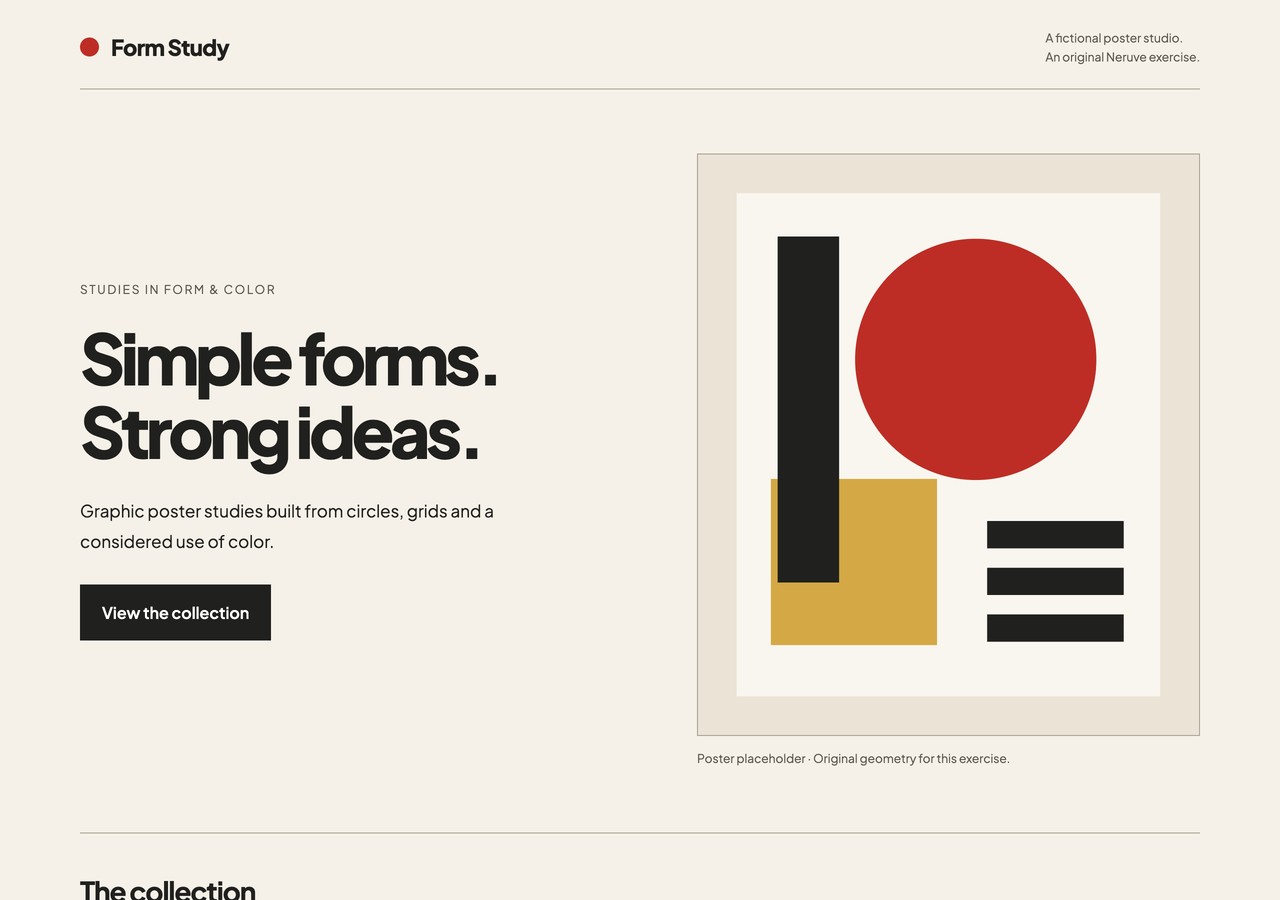
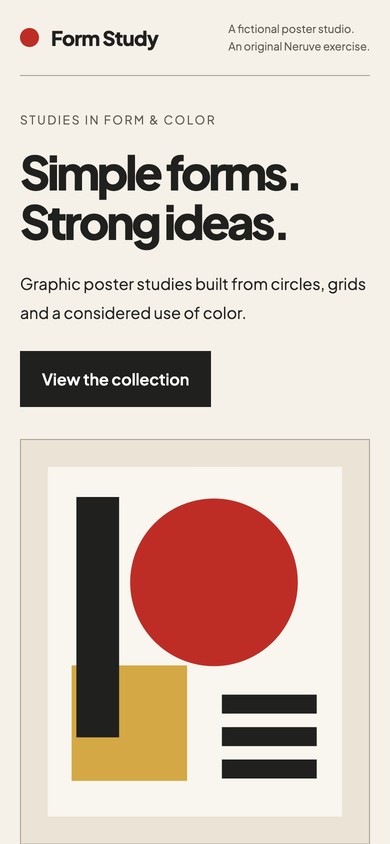
확인한 내용
1280, 390, 320 px에서 텍스트와 포스터가 화면 너비 안에 들어옵니다. “View the collection”은 컬렉션 영역으로 이동합니다. 키보드 포커스가 보이며, 동작 줄이기 설정에서는 부드러운 스크롤이 꺼집니다.
데모를 열거나 HTML을 내려받아 로컬에서 여세요. 같은 너비에서 주요 링크와 키보드 이동을 확인하세요. 전체 입력으로 재현할 때는 자신의 실제 결과를 기록하세요.
브라우저 검사를 거친 가상의 독립 Hero 구현 예시입니다. 나머지 세 Prompt는 제안 입력입니다. 모델 비교, 실제 결제, 전환 개선 근거는 포함하지 않습니다.
자주 묻는 질문
무료 예시인가요, 테스트 결과인가요, 템플릿 프롬프트인가요?
네 Prompt는 무료로 직접 작성한 입력 연습입니다. 아래 Form Study Hero 구현에는 브라우저 검사가 있으며 나머지는 제안 입력입니다. 템플릿 Prompt와 소스 다운로드에는 표시된 이용 조건이 적용됩니다.
디자인과 함께 제공되는 프롬프트 살펴보기
Neruve 공개 카탈로그는 웹사이트 디자인, 이용 가능한 연결 프롬프트 및 Skills 디렉터리를 제공합니다. 인터랙티브 미리보기에는 로그인이 필요하지 않으며, 연결된 프롬프트에는 항목과 요금제 이용 권한이 적용됩니다. 이 워크플로는 본인의 개발 도구를 사용하므로 공개 Neruve 사이트 생성 기능이 필요하지 않습니다.
공식 참고 자료
외부 도구와 스킬은 각 제작자에게 귀속됩니다. 참고 링크는 제휴나 이용 권한 제공을 의미하지 않습니다.