現有網站的 AI 改版 Prompt
網站改版 Prompt 既要說明視覺變化,也要寫明必須保留什麼。先記錄現有介面,選具體缺陷,再提供限定範圍的計畫,讓改動可以複核。
Neruve 編寫 · 更新於
從可用的頁面開始
先預覽可用的 HTML 頁面,再讓程式代理結合原始碼與配套 Prompt,練習這些方法。
Skills 維持免登入免費閱讀與複製。範本可公開預覽;原始碼下載與配套 Prompt 需要帳戶及相應購買權益或方案。 查看原始碼權限與價格
先檢查,再讓 AI 改版網站
記錄技術堆疊、路由、共享控制項、文案和主要操作。查看實際桌面與手機頁面,指出影響最大的層級、可讀性、版面或行為問題,讓改版針對原因而不只是增加裝飾。
保護導覽、表單與 SEO
明確 URL 目標、登入和付款約定、價格與統計事件。除非任務要求修改,否則保留標題、描述、canonical/hreflang 和內部連結,並在改動後複核。新版面本身不能證明搜尋成長或轉換提升。
把截圖作為證據,避免照搬
使用自己的或獲授權的參考圖,寫明相關區域與視窗寬度。描述順序、間距、對比或圖片位置該如何調整,請 Agent 適配目前產品與元件。保留真實事實,避免帶入其他公司的識別或宣傳。
限定一次手機版面修復
先找出導致溢出的元素,再調整樣式。保留有意義的內容,檢查 320、390、768 和 1280 px,並複查焦點、連結與圖片含義。下方修復練習是建議輸入,不表示你的網站已通過檢查。
可自行改寫的原創練習
以下 Neruve 原創範例保留英文,是建議輸入,不是工具實測輸出或付費範本 Prompt。使用前請替換虛構事實。
網站改版需求
Audit this existing website before redesigning it.
Read its stack, routes, page copy, API calls, forms and shared components.
Protected: canonical URLs, navigation destinations, login/checkout behavior,
prices, analytics events and existing product facts.
Goal: make the offer and primary action easier to understand without new claims.

Record the current desktop and mobile layouts. Identify the three most useful
presentation changes, with section names and screenshot evidence.
Propose a small plan: hierarchy, typography, spacing and reusable component rules.
After approval, change one section first and show the result before expanding.
Retest the original links/forms, 1280/390/320 px layouts, keyboard focus and images.
Preserve headings, metadata, canonical/hreflang and internal links unless the
brief explicitly calls for an SEO change. Report actual checks, not assumed passes.
手機版面修復
Repair horizontal overflow at 320 px in the existing hero.
Find the element causing overflow before changing styles.
Preserve desktop layout, copy, image meaning, primary action and all destinations.
Use wrapping, responsive sizing or a stacked layout appropriate to this section;
do not hide meaningful content or disable horizontal scrolling on the whole page.
Check the same hero at 320, 390, 768 and 1280 px, including keyboard focus.
Return the changed files, before/after evidence and unresolved failures.
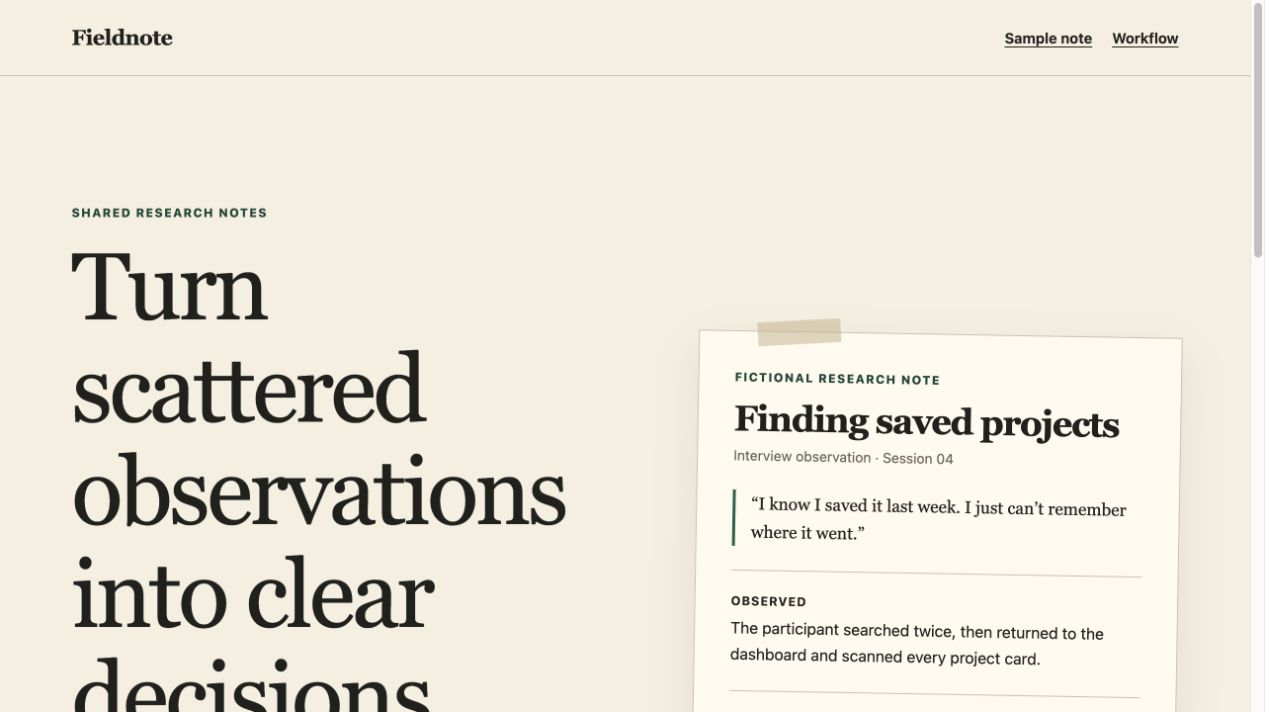
真實練習:用 Codex 生成 Fieldnote
Fieldnote 保留原創輸入、未經改寫的 Codex HTML,以及桌面和手機檢查紀錄。該次執行沒有提供 frontend-design Skill,也不是 ChatGPT 或 Claude Design 實測。
用於既有專案的 Claude 網站改版 Prompt
從一個 Hero、既有元件庫與原始操作入口開始。完整需求保護產品事實與行為,同時提供 Claude Code 一個具體介面任務。
查看完整 Claude 改版需求隨結果保留哪些證據
保留修改檔案、相同寬度的截圖、原始操作目標,以及鍵盤、手機版面與受保護約定的檢查結果。無法測試的項目標示為待驗證。
以下是原創 Claude Code 建議輸入,尚非 Claude 實測輸出。依任務選擇 Skill、檢查相依項目並保留專案事實。連結的 Taste 是獨立社群專案。
常見問題
一個缺陷也要重新產生整個網站嗎?
通常先做能解決實際問題的最小改動。大範圍改版需要審查計畫和共享控制項、受保護行為的回歸檢查。保留上一版本,以相同視圖對照後再接受結果。
瀏覽設計與配套 Prompt
Neruve 的公開目錄提供網站設計、可用的配套提示詞及 Skills 目錄。互動預覽無需登入;配套提示詞依項目與方案權益取得。本工作流程使用你自己的程式開發工具,無需公開的 Neruve 網站產生器。
官方參考資料
第三方工具和 Skill 屬於各自作者。連結用於參考,不表示合作關係或已包含相關使用權益。