Web・UI デザインプロンプトの例
UI デザインプロンプトでは、スタイル名より先にページの役割を伝えます。四つの独自例で、メッセージ、行動、事実、モバイルでの表示を具体化します。
Neruve 執筆 · 更新日
動くページを出発点に
動く HTML ページをプレビューし、ソースと付属プロンプトを使ってコーディングエージェントで手法を試せます。
Skills は引き続きログイン不要で無料閲覧・コピーできます。テンプレートのプレビューは公開されています。ソースと付属プロンプトのダウンロードにはアカウントと対象の購入権限またはプランが必要です。 ソースの利用条件と料金
スタイルの前に目的を書く
対象ユーザー、ページの目的、必須情報、ボタンの移動先を指定します。成果物がデザイン案、プロトタイプ、既存プロジェクトのコードのどれかも明記します。実際の情報を渡し、架空のデモデータにはその旨を示して、根拠のない機能や約束を防ぎます。
ページに必要な状態を指定する
ヒーローには提案と次の行動、料金表には明確な違い、ダッシュボードにはフィルターや空・エラー状態、商品ページには素材と購入動作が必要です。近い例を選び、情報を置き換えましょう。すべての機能を一度に詰め込む必要はありません。
スタイルを目的に合わせる
バウハウスの幾何学、スイス風のタイポグラフィ、太い輪郭、抑制された高級感などを、どこに使うか説明します。装飾よりコントラスト、情報の階層、モバイルの読みやすさを優先します。スタイル名だけでは画面は定義できません。
実際に開き、一つずつ修正する
デスクトップ、390、320 ピクセル幅で結果を開き、主なリンクとキーボードフォーカスを確認します。問題の要素、幅、期待する動作を記録し、範囲を絞って修正を依頼します。ツールで表示や操作を確認できない場合は未確認と記載します。
書き換えて使えるオリジナルの練習
Neruve が作成した英語の入力例です。実行結果や有料テンプレートのプロンプトではありません。架空の情報を実際の情報に置き換えてください。
バウハウスのヒーロー:メッセージと行動
Design a Bauhaus-inspired hero for a fictional poster studio called Form Study.
Goal: help visitors understand the studio and follow “View the collection” to #collection.
Use one supplied poster placeholder, a compact geometric heading and a red accent.
Keep the offer readable before introducing decorative circles or rules.
At 390 px, stack the poster and text; keep the action visible and use readable contrast.
Use semantic headings, visible keyboard focus and a reduced-motion alternative.
Do not invent awards, customer logos, order counts or a working checkout.
Return the section structure and explain which parts still need implementation.
スイス風の料金表:読みやすい比較
Design a Swiss-minimalist pricing comparison for a fictional planning app.
Use this labelled demonstration data only: Draft $12/month and Team $28/month,
both USD. These are fictional example prices, not Neruve prices.
Draft includes personal notes; Team adds shared notes and team comments.
Use aligned labels and a clear type scale; do not rely on color alone for differences.
At 320 px, stack cards and keep every price and feature readable.
Buttons link to #plan-details, not a real checkout. Do not invent discounts,
payment processing, trials or annual prices. Mark the entire section as a demo.
ネオブルータリズムのダッシュボード:操作と状態
Design a neo-brutalist task dashboard for a fictional studio project.
Use bold outlines and one accent without overwhelming the status information.
Include search, a status filter and a task list with title, owner and due date.
Label the data as fictional. Define loading, empty, filtered-empty and error states.
If this is a concept, annotate how each control should behave instead of claiming
it is connected to an API. If implementing, use the existing project contracts.
At 390 px, retain task names and status labels; do not hide necessary fields.
Check keyboard focus and readable contrast. Do not invent productivity metrics.
ラグジュアリーな商品ページ:事実を守る
Design a restrained luxury product page for a fictional ceramic lamp, Still One.
Use warm neutrals, generous spacing and a clearly labelled placeholder photo.
Demonstration facts: $180 USD, matte ceramic base, replaceable LED bulb,
30 cm height. These are fictional facts, not a real offer.
Show dimensions, materials and care near the main product image.
Represent the purchase area as a labelled concept; do not connect payments.
For an existing store, preserve its real price, stock, variants and cart contract.
At 390 px, keep product facts near the image and the action easy to reach.
Do not invent stock urgency, reviews, shipping promises or sustainability claims.
開いて確認できる UI Prompt 例:Form Study
上の Hero 演習を Codex で実装し、実際のページを確認しました。入力ファイルには元の Prompt と、完全な HTML/CSS を求める追加依頼を収録しています。幾何学ポスターは独自のプレースホルダーで、その旨を表示しています。
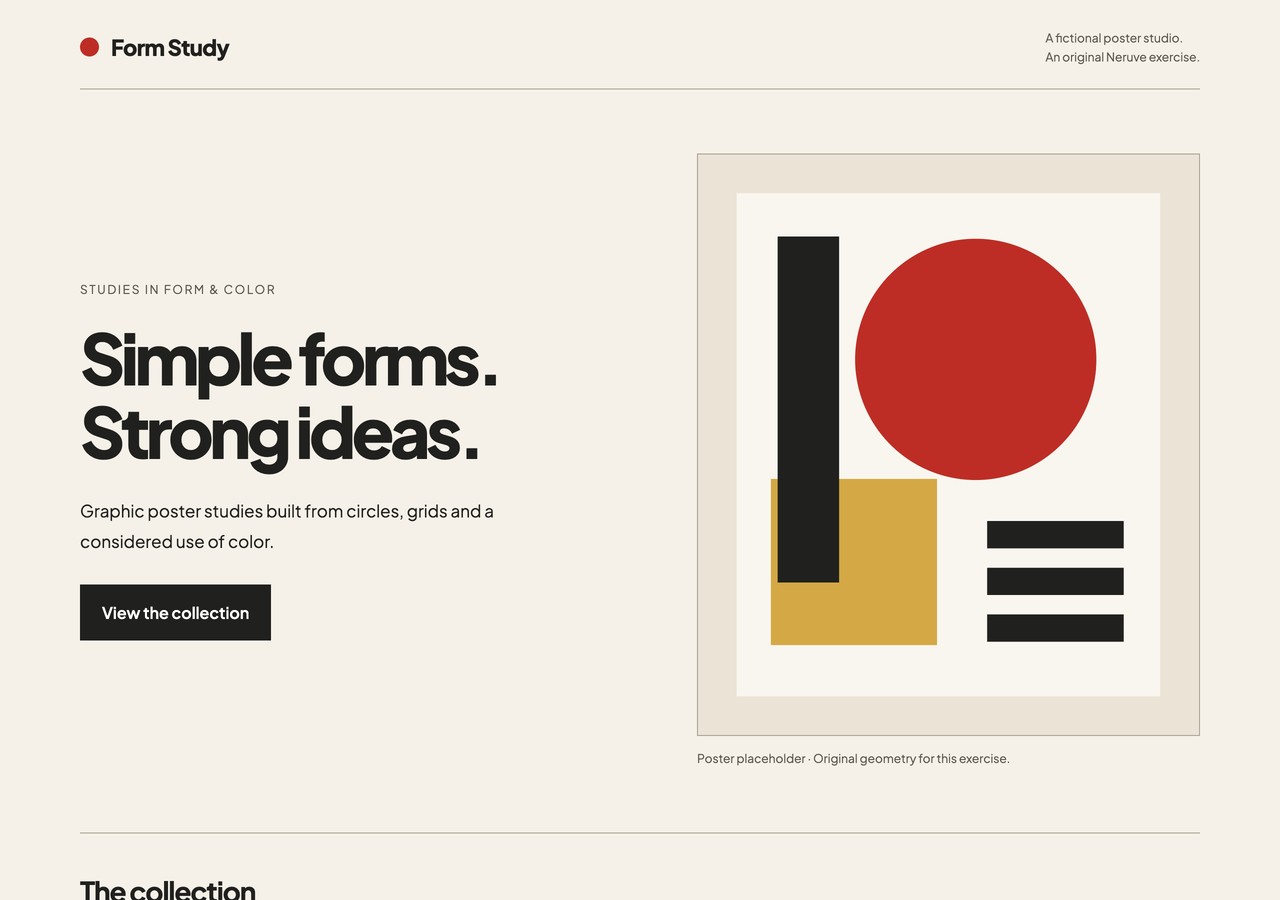
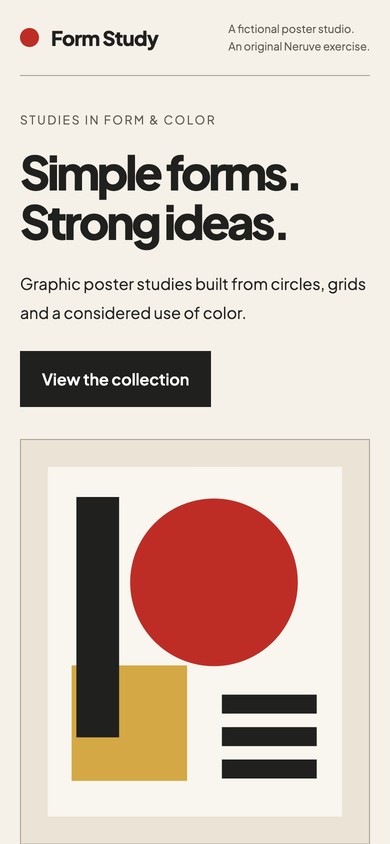
確認した内容
1280、390、320 px で文字とポスターが画面幅に収まることを確認。「View the collection」は作品セクションに移動します。キーボードフォーカスが見え、動きを減らす設定では滑らかなスクロールを停止します。
デモを開くか、HTML をダウンロードしてローカルで開いてください。同じ幅、主要リンク、キーボード操作を確認します。完全な入力で再現する場合は、自分の検証結果を記録してください。
架空の単独 Hero 実装をブラウザーで確認した例です。他の3件は提案入力のままです。モデル比較、実際の決済、コンバージョン改善の証拠は含みません。
よくある質問
無料例、検証済みの出力、付属プロンプトのどれですか?
4件は無料の独自入力演習です。下の Form Study Hero 実装にはブラウザー確認があります。他の例は提案入力です。テンプレートの Prompt とソースのダウンロードには表示された利用条件が適用されます。
デザインと付属プロンプトを見る
Neruve の公開カタログではサイトのデザイン、利用可能な対応プロンプト、Skills ディレクトリを提供しています。操作可能なプレビューにログインは不要です。対応するプロンプトにはアイテムとプランの利用条件が適用されます。このワークフローでは自分の開発ツールを使うため、公開された Neruve サイト生成機能は必要ありません。
公式資料
外部ツールやスキルは各作者に帰属します。参照リンクは提携や利用権の付与を意味しません。