Designer Portfolio Website Templates with HTML Source
Choose a designer portfolio by the work you need to explain. Compare a product-design practice with services and process, a compact UI/UX project portfolio and a brand-oriented creative portfolio. Use the photography and agency collections when the primary job is to present shoots or an entire studio.
Selected designs
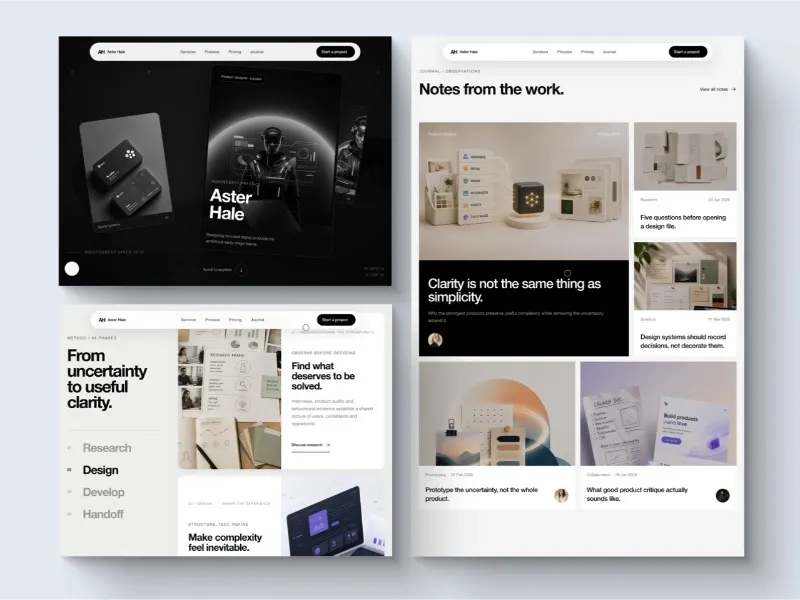
Aster Hale Design Portfolio
Portfolio
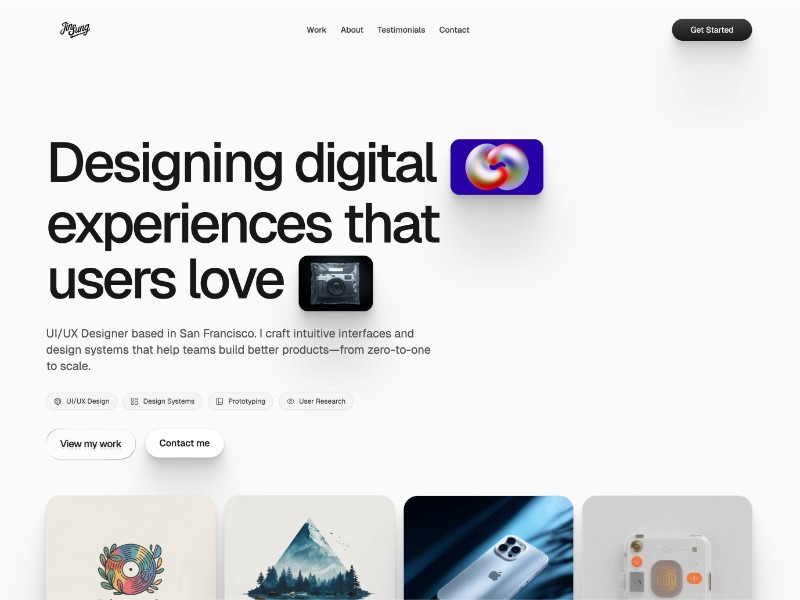
UI-UX Designer Portfolio
Portfolio
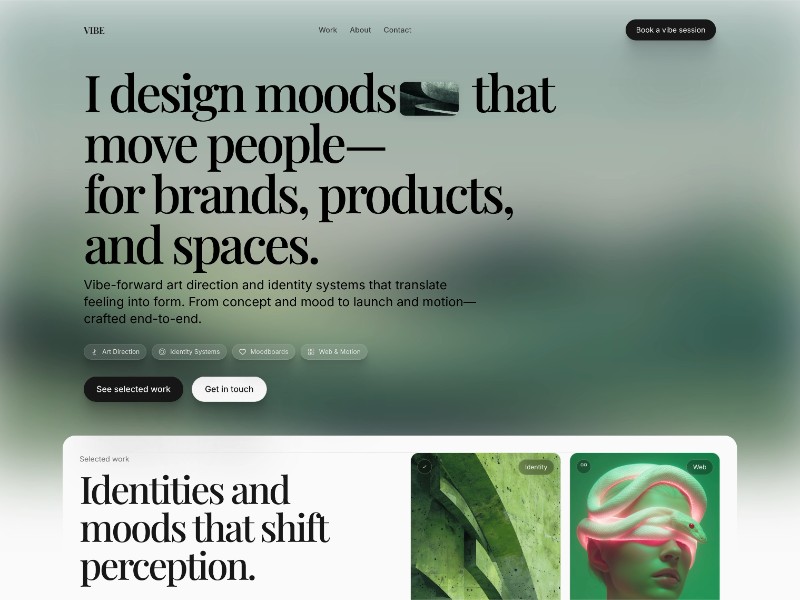
Vibe Designer Portfolio
Portfolio
Which design fits your brief?
- Aster Hale Design Portfolio
- A product-design practice combining selected work, services, a four-stage process and contact sections. Choose it when a client needs to understand both your work and how an engagement will run.
- UI-UX Designer Portfolio
- A compact UI/UX designer portfolio with recent project examples, an about section and client-highlight areas. Prepare real project summaries that explain your contribution rather than copying the demonstration testimonials.
- Vibe Designer Portfolio
- A brand-oriented designer portfolio with selected identities, engagement options and an interactive creative-mood section. Compare it when visual direction and the designer’s approach matter alongside project outcomes.
These designs are currently unavailable. Browse the library. Explore library
Interactive previews are public. Source ZIPs and available paired prompts require sign-in and the applicable prompt pack or membership.
Choose by the job your page must do
Start from source or a design brief
The source ZIP contains the HTML page, its paired prompt and the supplied usage notice: External styles, scripts, fonts and media need network access. Before publishing, review external services and tracking scripts, replace demo content and connect your own forms or backend where needed.
- Aster Hale — Product Designer Portfolio HTML Template
- UI/UX Designer Portfolio HTML Template
- Vibe — Brand Designer Portfolio HTML Template
Read INTERNAL-USE.txt and the applicable third-party asset terms before using the files. A download does not itself grant unrestricted commercial use or redistribution. Terms of Service
Common questions
How is an HTML portfolio different from a Figma or Notion template?
These selections are editable HTML pages with browser-side styles and scripts. They are not design files or hosted Notion pages. You will need to replace the content and publish the frontend with your own hosting workflow.
Which portfolio layout should a freelance designer choose?
Aster Hale gives services and engagement process a clear place beside the work. The UI/UX example is more compact and project-led. Vibe foregrounds brand direction and creative approach. Choose by what prospective clients need to evaluate.
Where should I look for a photographer or agency website?
Use the photography collection for galleries and editorial shoots, and the agency collection for studio work, services, teams and call-booking offers. Their details describe the actual frontend scope and dependencies.