Website Redesign Prompts for Existing Projects
A website redesign prompt should describe both the presentation change and what must survive it. Record the current interface first, choose a concrete defect, and give the agent a bounded plan. The aim is an inspectable improvement to the existing project.
By Neruve · Updated
Build on a working page
Preview a working HTML page, then use its source and paired prompt to apply these techniques with your coding agent.
Aster Hale — Product Designer Portfolio HTML Template
Adapt the service sections, project stories and contact flow to your own work.
Preview templateMeStudio — Photography Portfolio HTML Template
Compare project grids, image rhythm and responsive gallery layouts.
Preview templateSkills stay free to read and copy without signing in. Template previews are public; source downloads and paired prompts require an account and the applicable purchase or plan. View source access and pricing
Audit before asking AI to redesign a website
Record the stack, routes, shared controls, copy and primary actions. Open the current desktop and mobile views and name the highest-impact problems. Decide whether each problem is hierarchy, readability, layout or broken behavior. This helps a redesign request target the cause rather than add decoration.
Protect navigation, forms and SEO
Keep URL destinations, login and checkout contracts, prices and analytics events explicit. Preserve titles, descriptions, canonical/hreflang and internal links unless the task includes changing them. Recheck these after editing. A new layout does not itself prove search growth or a higher conversion rate.
Use screenshots as evidence, not a copying instruction
Attach your own or authorized reference and identify the section and viewport that matter. Describe what should change: order, spacing, contrast or image placement. Ask for an adaptation to the current product and components. Keep the original facts and avoid importing another company’s identity or claims.
Repair mobile layouts in one focused pass
Find the element causing overflow before changing global styles. Keep meaningful content visible and test 320, 390, 768 and 1280 px widths. Recheck focus, links and image meaning. The repair example below is a proposed input; it does not claim those checks have already passed on your site.
Original exercises you can adapt
These original Neruve examples remain in English. They are proposed inputs, not tested tool outputs or paid template prompts. Replace the fictional facts before using them.
A website redesign brief
Audit this existing website before redesigning it.
Read its stack, routes, page copy, API calls, forms and shared components.
Protected: canonical URLs, navigation destinations, login/checkout behavior,
prices, analytics events and existing product facts.
Goal: make the offer and primary action easier to understand without new claims.

Record the current desktop and mobile layouts. Identify the three most useful
presentation changes, with section names and screenshot evidence.
Propose a small plan: hierarchy, typography, spacing and reusable component rules.
After approval, change one section first and show the result before expanding.
Retest the original links/forms, 1280/390/320 px layouts, keyboard focus and images.
Preserve headings, metadata, canonical/hreflang and internal links unless the
brief explicitly calls for an SEO change. Report actual checks, not assumed passes.
A mobile layout repair
Repair horizontal overflow at 320 px in the existing hero.
Find the element causing overflow before changing styles.
Preserve desktop layout, copy, image meaning, primary action and all destinations.
Use wrapping, responsive sizing or a stacked layout appropriate to this section;
do not hide meaningful content or disable horizontal scrolling on the whole page.
Check the same hero at 320, 390, 768 and 1280 px, including keyboard focus.
Return the changed files, before/after evidence and unresolved failures.
A real exercise: Fieldnote with Codex
Fieldnote includes an original brief, the unchanged Codex HTML and desktop/mobile checks. No frontend-design Skill was supplied; this is not a ChatGPT or Claude Design test.
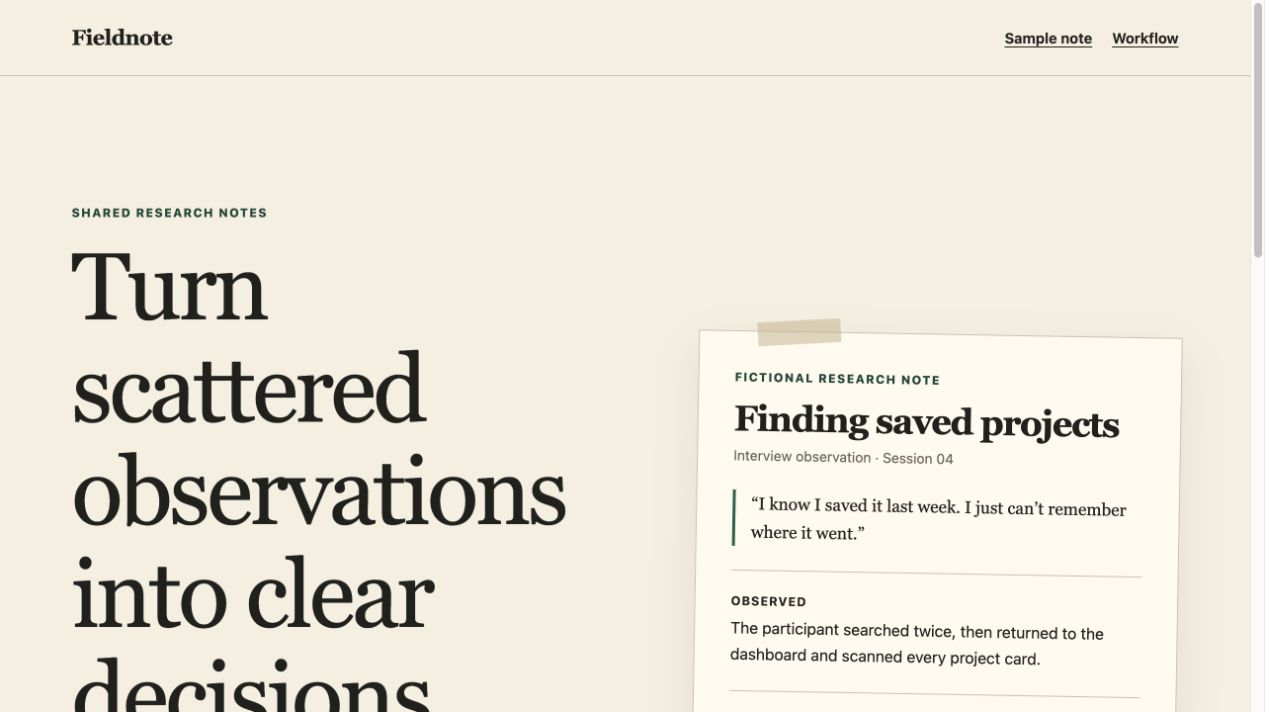
A Claude website redesign prompt for an existing project
Start with one hero, the existing component library and the original action. The complete brief protects product facts and behavior while giving Claude Code a concrete presentation task.
Open the complete Claude redesign briefWhat to keep with the result
Keep the changed files, screenshots at the same widths, the original action destination and the results of keyboard, mobile and protected-contract checks. Mark anything you could not test as pending.
These are original suggested Claude Code inputs, not recorded Claude outputs. Choose a Skill by task, review its dependencies and preserve the project’s facts. The linked Taste resource is an independent community project.
Common questions
Should I regenerate the whole website for one defect?
Usually start with the smallest change that addresses the observed problem. A larger redesign needs a reviewed plan and regression checks for shared controls and protected behavior. Keep the earlier version and compare the same views before accepting the new one.
Explore designs and paired prompts
Neruve's public catalog offers website designs, available paired prompts and a skills directory. Interactive previews are available without signing in; paired prompts follow the item and plan access rules. This workflow uses your own coding tool and does not require a public Neruve site generator.
Official references
Third-party tools and skills belong to their respective authors. These links are references, not a claim of partnership or bundled access.