UI Design Prompt Examples for Websites
A useful UI design prompt describes a page task before naming a style. These original examples show how to specify the message, action, facts and mobile behavior for four different website sections.
By Neruve · Updated
Build on a working page
Preview a working HTML page, then use its source and paired prompt to apply these techniques with your coding agent.
Framewise — AI Product Landing Page HTML Template
Practice a clear product story, visual hierarchy and responsive hero.
Preview templateAster Hale — Product Designer Portfolio HTML Template
Adapt the service sections, project stories and contact flow to your own work.
Preview templateSkills stay free to read and copy without signing in. Template previews are public; source downloads and paired prompts require an account and the applicable purchase or plan. View source access and pricing
Write the task before the style
Name the audience, page goal, required content and action destination. State what the tool should return: a design concept, a prototype or files for an existing project. Supply real facts and identify fictional demonstration data so the model does not fill gaps with invented claims.
Match the prompt to a page and its states
A hero needs a clear offer and next step; pricing needs readable differences; a dashboard needs filters and empty or error states; a product page needs materials, variants and purchase behavior. Choose the closest example below and replace its facts, rather than combining every feature into one request.
Use a style as a direction
Bauhaus geometry, Swiss typography, neo-brutalist outlines and restrained luxury can shape the presentation. Describe where each choice applies and how it supports the task. Keep contrast, hierarchy and mobile readability ahead of decoration; a style name alone cannot define the interface.
Review the output and request one repair
Open the actual result at desktop, 390 and 320 pixels. Follow the main action and test keyboard focus. Record the broken element, viewport and expected behavior, then request one scoped repair. If a tool cannot render or test the result, mark those checks as pending.
Original exercises you can adapt
These original Neruve examples remain in English. They are proposed inputs, not tested tool outputs or paid template prompts. Replace the fictional facts before using them.
Bauhaus hero: message and action
Design a Bauhaus-inspired hero for a fictional poster studio called Form Study.
Goal: help visitors understand the studio and follow “View the collection” to #collection.
Use one supplied poster placeholder, a compact geometric heading and a red accent.
Keep the offer readable before introducing decorative circles or rules.
At 390 px, stack the poster and text; keep the action visible and use readable contrast.
Use semantic headings, visible keyboard focus and a reduced-motion alternative.
Do not invent awards, customer logos, order counts or a working checkout.
Return the section structure and explain which parts still need implementation.
Swiss pricing: readable comparison
Design a Swiss-minimalist pricing comparison for a fictional planning app.
Use this labelled demonstration data only: Draft $12/month and Team $28/month,
both USD. These are fictional example prices, not Neruve prices.
Draft includes personal notes; Team adds shared notes and team comments.
Use aligned labels and a clear type scale; do not rely on color alone for differences.
At 320 px, stack cards and keep every price and feature readable.
Buttons link to #plan-details, not a real checkout. Do not invent discounts,
payment processing, trials or annual prices. Mark the entire section as a demo.
Neo-brutalist dashboard: controls and states
Design a neo-brutalist task dashboard for a fictional studio project.
Use bold outlines and one accent without overwhelming the status information.
Include search, a status filter and a task list with title, owner and due date.
Label the data as fictional. Define loading, empty, filtered-empty and error states.
If this is a concept, annotate how each control should behave instead of claiming
it is connected to an API. If implementing, use the existing project contracts.
At 390 px, retain task names and status labels; do not hide necessary fields.
Check keyboard focus and readable contrast. Do not invent productivity metrics.
Luxury product page: preserve facts
Design a restrained luxury product page for a fictional ceramic lamp, Still One.
Use warm neutrals, generous spacing and a clearly labelled placeholder photo.
Demonstration facts: $180 USD, matte ceramic base, replaceable LED bulb,
30 cm height. These are fictional facts, not a real offer.
Show dimensions, materials and care near the main product image.
Represent the purchase area as a labelled concept; do not connect payments.
For an existing store, preserve its real price, stock, variants and cart contract.
At 390 px, keep product facts near the image and the action easy to reach.
Do not invent stock urgency, reviews, shipping promises or sustainability claims.
A UI prompt example you can open: Form Study
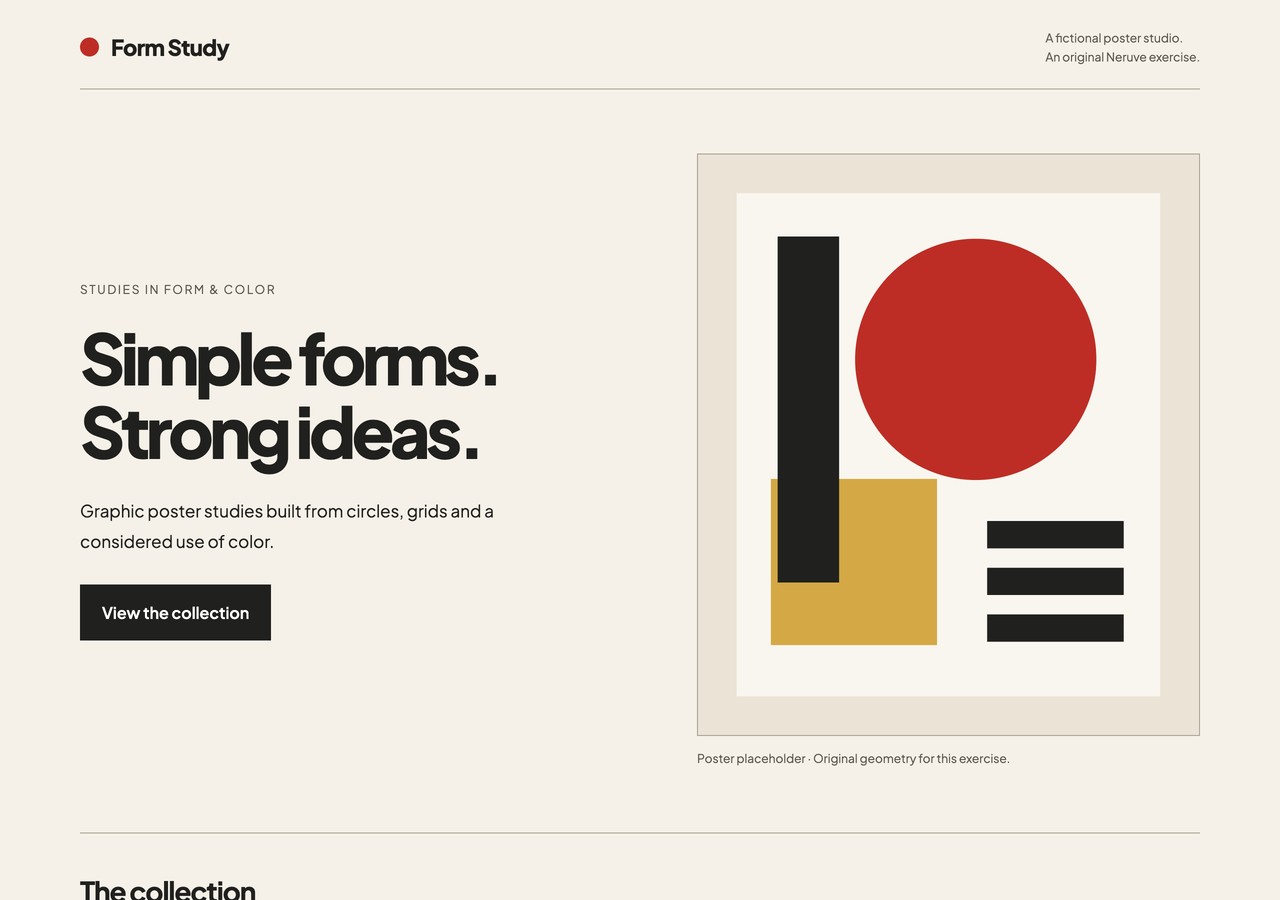
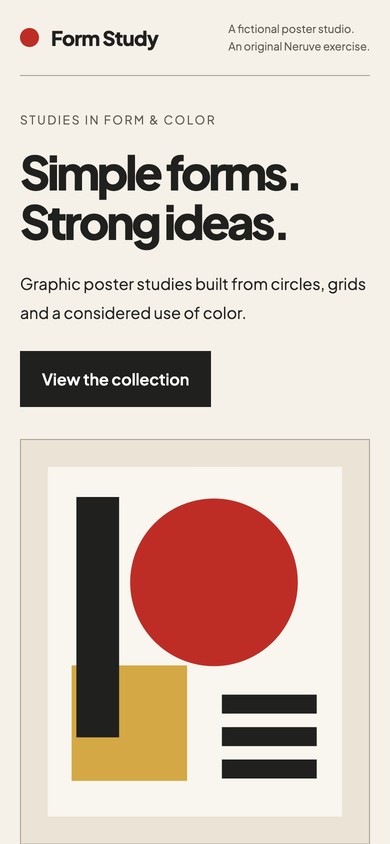
We implemented the hero exercise above in Codex, then checked the actual page. The downloaded input includes the original prompt and a follow-up requesting a complete HTML/CSS file. The geometric poster is an original, labelled placeholder.
What was checked
At 1280, 390 and 320 px, the page keeps its text and poster within the viewport. “View the collection” reaches the collection section. Keyboard focus is visible; reduced motion disables smooth scrolling.
Open the demo or download the HTML and open it locally. Compare the same widths, follow the primary link and check keyboard navigation. Use the complete input to repeat the exercise, then record your own results.
This is one fictional, self-contained hero implementation with browser checks. The other three prompts remain suggested inputs. There is no model comparison, real checkout or evidence of improved conversion.
Common questions
Are these examples free, tested outputs or template prompts?
The four prompts are free original input exercises. The Form Study hero implementation below has browser checks; the other examples remain proposed inputs. Template prompts and source downloads follow the listed access terms.
Explore designs and paired prompts
Neruve's public catalog offers website designs, available paired prompts and a skills directory. Interactive previews are available without signing in; paired prompts follow the item and plan access rules. This workflow uses your own coding tool and does not require a public Neruve site generator.
Official references
Third-party tools and skills belong to their respective authors. These links are references, not a claim of partnership or bundled access.